4506-T Form Guide
Form 4506-T requests a free transcript of your tax information from the IRS: a summary of a return you filed, your account activity, your wage and income statements, or proof that you did not file. Lenders, schools and agencies often ask for transcripts to check income.
How to Fill Out a 4506-T Form?
- 1Click Fill Form. Form 4506-T opens in our editor, with its fillable fields shown in blue.
- 2Click a field to type, tick the boxes that apply, or add text, check marks and dates anywhere on the page.
- 3Click Download, choose PDF, Word or an image, name the file and save it.
What Is the 4506-T Form Used For?
Form 4506-T is the paper way to ask the IRS for a transcript. A transcript is a printout of key details from your tax records, not a photocopy of the return itself. You can use the form for individual returns in the Form 1040 series and for business returns such as Forms 1065 and 1120.
- Return Transcript: most line items from your original return as filed, without later changes.
- Account Transcript: payments, penalty assessments and adjustments made after the return was filed.
- Record of Account: the Return Transcript and Account Transcript combined into one.
- Verification of Nonfiling: proof that the IRS has no record of a filed return for a year.
- Information return data that payers reported on Forms W-2, 1099, 1098 and 5498.
Who fills it in
Taxpayers who need a copy of their tax information, or a third party they name on the form.
Where it goes
Send it to the IRS address or fax number in the instructions for your location. Transcripts are also available online with an IRS account.
When Might You Not Need Form 4506-T?
You can often skip the paper form. The IRS Get Transcript service at IRS.gov lets you view, print or download the same transcript types, and you can also call 1-800-908-9946. One exception: if you use a fiscal tax year (one that starts in one calendar year and ends in the next), the instructions say you must file Form 4506-T to get a return transcript.
Form 4506-T is also the wrong tool for some requests. For a copy of a Form W-2 or 1099, the form says to contact the payer first. To get the actual return with all its attachments, including the W-2s you filed with it, use Form 4506. If you need W-2 information for retirement purposes, the form points you to the Social Security Administration.
What If Your Request Is Rejected or Your Address Has Changed?
The IRS may reject a Form 4506-T that is incomplete or hard to read, and it rejects any form it receives more than 120 days after the signature date. A form with the attestation box in the signature area left unchecked won't be processed either. Complete every line that applies before you sign, and send the form soon after signing.
The IRS mails transcripts only to your address of record, so the address it has on file matters. If your current address on line 3 is different from the address on your last return (line 4) and you haven't told the IRS about the move, the instructions say to file Form 8822, Change of Address. For a business address, use Form 8822-B.
Instructions for Filling Out the 4506-T Form
Use one Form 4506-T for each tax form you need. Fill in every line that applies before you sign, because an incomplete form may be rejected.
 Get form
Form 4506-T, 2 pages. View all pages
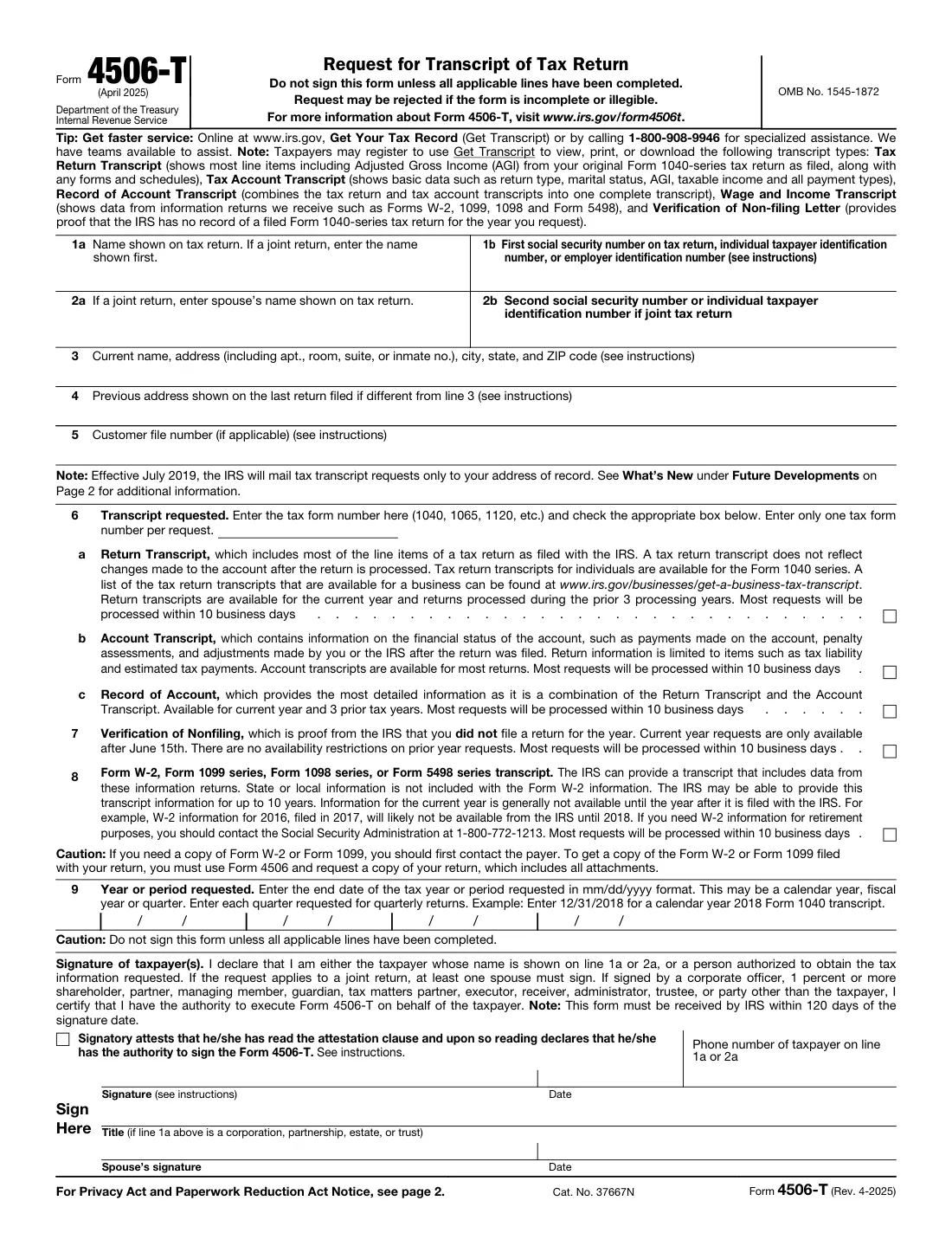
Lines 1 to 5: Taxpayer Information
- Line 1a
- Name shown on the return: Enter your name as it appears on the return you are asking about. For a joint return, enter the name that was listed first.
- Line 1b
- First taxpayer identification number: Enter the first Social Security number (SSN) or individual taxpayer identification number (ITIN) shown on the return. If the request is for a business return, enter the employer identification number (EIN) instead. For a Form 1040 that includes Schedule C, use your SSN.
- Lines 2a and 2b
- Spouse's name and number: Complete these only for a joint return. Enter your spouse's name and the second SSN or ITIN as shown on that return.
- Line 3
- Current name and address: Enter your current name and address, including any apartment, room or suite number. If you use a P.O. box, include it here. If you are incarcerated, include your inmate identification number.
- Line 4
- Previous address: If the address on the last return you filed is different from line 3, enter that address here.
- Line 5
- Customer file number: This line is optional. You can enter up to 10 digits to create a number that will print on the transcript. Don't use an SSN or a name, because the IRS will then print a generic 9999999999 instead.
Lines 6 to 9: Transcripts and Years Requested
- Line 6
- Tax form number: Enter the number of the tax form the transcript is for, such as 1040, 1065 or 1120. Enter only one form number per request, then check the box for the transcript type you want.
- Line 6a
- Return Transcript: Shows most line items of the return as it was filed, but not changes made after it was processed. It is available for the current year and for returns processed during the prior 3 processing years.
- Line 6b
- Account Transcript: Shows the financial status of the account, such as payments, penalty assessments and adjustments made after the return was filed. Return details are limited to items like tax liability and estimated tax payments.
- Line 6c
- Record of Account: Combines the Return Transcript and the Account Transcript, so it gives the most detail. It is available for the current year and 3 prior tax years. If you are not sure which transcript you need, the instructions suggest this one.
- Line 7
- Verification of Nonfiling: Check this box for proof from the IRS that you did not file a return for the year. Current-year requests are available only after June 15. There is no such limit for prior years.
- Line 8
- Form W-2, 1099, 1098 or 5498 transcript: Check this box for data the IRS received on these information returns. State and local W-2 information is not included, and current-year data is generally not available until the year after it is filed. The IRS may be able to provide this information for up to 10 years.
- Line 9
- Year or period requested: Enter the end date of each tax year or period in mm/dd/yyyy format, for example 12/31/2024 for a 2024 calendar-year Form 1040. For quarterly returns, enter each quarter you need.
Signature Area
Don't sign until every line that applies is complete.
- Attestation box
- Authority to sign: Check the box to confirm you have read the attestation and have the authority to sign. The IRS won't process the form if this box is unchecked.
- Signature
- Taxpayer's signature and date: Sign exactly as your name appeared on the original return, and also sign your current name if it has changed. For a joint return, only one spouse needs to sign. The IRS must receive the form within 120 days of this date.
- Phone number
- Taxpayer's phone: Enter the phone number of the taxpayer named on line 1a or 2a.
- Title
- Business and entity signers: If line 1a is a corporation, partnership, estate or trust, enter the signer's title. Entities other than individuals must also attach a document showing the signer's authority, such as a letter from a principal officer or letters testamentary for an estate.
Tips for Filling Out the 4506-T Form
- Use the exact name, Social Security number and address shown on the return you are asking about.
- Tick only the type of transcript you need and the years you want.
- A full copy of a return, rather than a transcript, needs Form 4506 instead and has a fee.
Fill Out Form 4506-T Online
The official form opens with its fields ready to type in. Free, no sign-up, no watermark.
Official PDF on irs.govGot Questions?
How long does a 4506-T request take?
The form says most requests are processed within 10 business days. Online transcripts are available right away.
Can the IRS send my transcript straight to my lender?
No. Since July 2019, the IRS mails transcripts only to the taxpayer's address of record and no longer mails them to third parties. A lender that can't accept a transcript mailed to you can work with an existing IVES participant or join the IRS IVES program itself.
Why does my transcript show only part of my Social Security number?
Transcripts are masked to protect your privacy, so personal details show only partially, such as the last four digits of your SSN. Financial figures, like wages and taxable income, still appear in full.
Can my tax professional sign Form 4506-T for me?
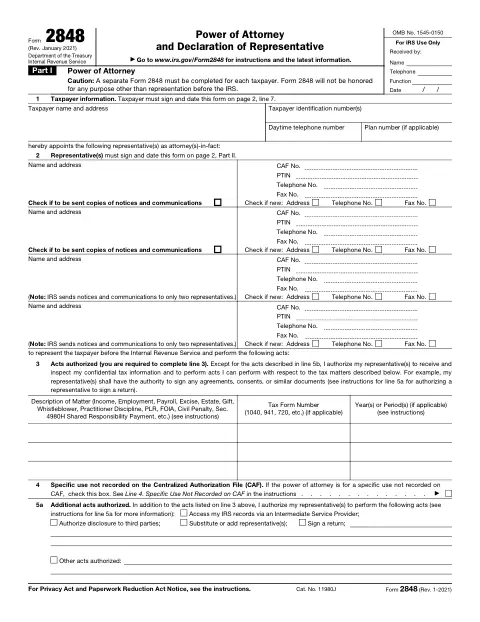
Only if you specifically gave them that authority on line 5 of Form 2848, Power of Attorney. They must attach that Form 2848 to the Form 4506-T.
Can I request transcripts for two different tax forms on one Form 4506-T?
No. Enter only one tax form number per request and use a separate form for each one. If the address chart shows different addresses for your requests, the instructions say to send them to the address based on your most recent return.
Can I fill out Form 4506-T online for free?
Yes. Click Fill Form and Form 4506-T opens in our editor with its 29 fields ready to type in. When you are done, download it as a PDF, Word file or image. There is no account to create and no watermark.
Is this the official Form 4506-T?
Yes. It is the official PDF from the IRS website (Rev. April 2025), with its own fillable fields. Forms are updated from time to time, so check the version on the IRS website before you file.
PDFezy Reviews
No reviews yet. Used this form? Tell others how it went.