1040 Form Guide
Form 1040 is the main federal income tax return for individuals in the United States. It brings together your income, adjustments, deductions and credits to work out whether you owe tax or get a refund. This is the 2025 version, for income earned in 2025.
How to Fill Out a 1040 Form?
- 1Click Fill Form. Form 1040 opens in our editor, with its fillable fields shown in blue.
- 2Click a field to type, tick the boxes that apply, or add text, check marks and dates anywhere on the page.
- 3Click Download, choose PDF, Word or an image, name the file and save it.
What Is the 1040 Form Used For?
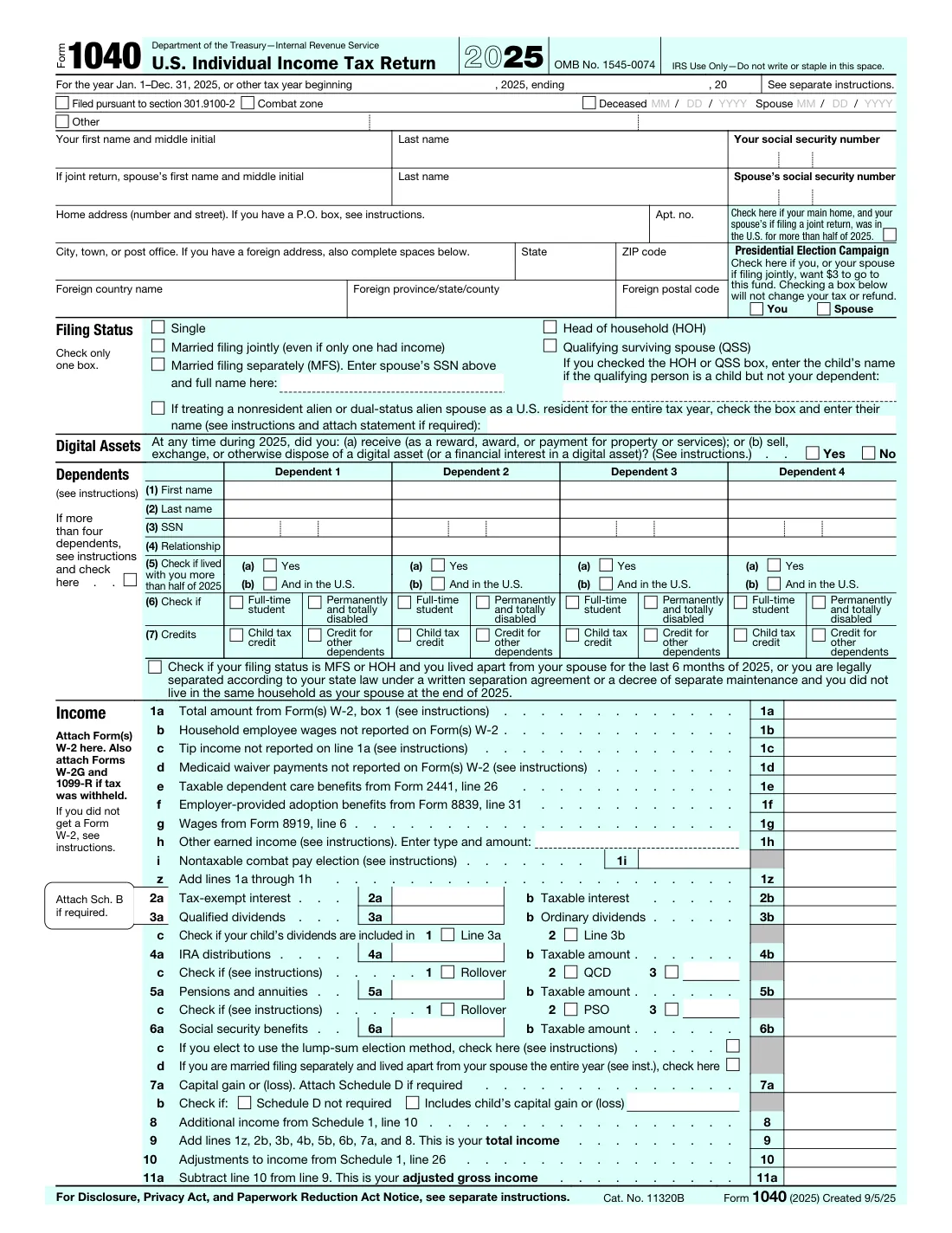
Form 1040 is the two-page return where you report a full year of income and figure your federal income tax for 2025. A simple return may need only the form itself. A more complex one adds the numbered schedules (Schedules 1 to 3) and other forms, and their totals feed into specific lines of Form 1040.
- Report wages, interest, dividends, retirement income, social security benefits, and capital gains.
- List your dependents and claim credits such as the child tax credit and the earned income credit.
- Take the standard deduction or itemize your deductions on Schedule A.
- Choose how to receive a refund, including direct deposit, or apply it to your 2026 estimated tax.
- Allow someone else, such as your preparer, to discuss your return with the IRS.
Who fills it in
US citizens and residents who need to file a federal income tax return.
Where it goes
File it with the IRS, electronically or by mail to the address in the instructions.
When Might Filing Form 1040 Not Be Necessary?
Not everyone has to file. Whether you must file depends mainly on your filing status, your age, and your gross income, and Charts A, B, and C in the IRS instructions spell out the rules. Some situations require a return no matter what, such as having net earnings from self-employment of at least $400 or having advance payments of the premium tax credit made for you, your spouse, or a dependent.
Even if you don't have to file, the instructions say you should file to get a refund of any federal income tax withheld, or if you're eligible for credits such as the earned income credit, additional child tax credit, American opportunity credit, premium tax credit, or refundable adoption credit. Most nonresident aliens and dual-status aliens have different filing rules and may need Form 1040-NR instead.
What If You Need to Change Your Return After Filing?
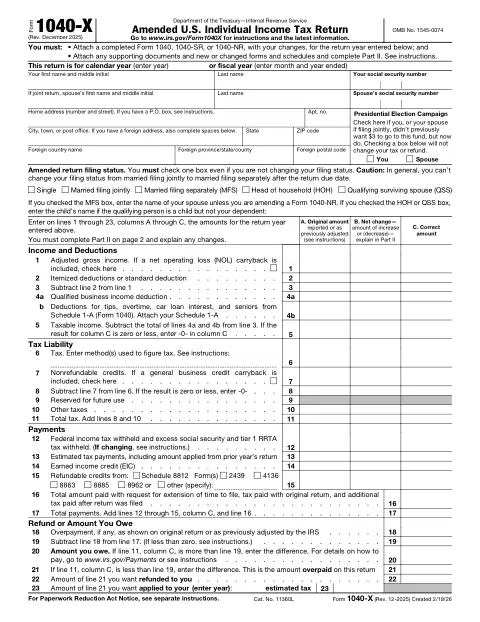
Use Form 1040-X to correct a return you already filed. After the due date has passed, don't send a second original Form 1040 for the same year, even if you haven't heard from the IRS, because that can delay your refund.
You can file Form 1040-X electronically with tax software and track it with the Where's My Amended Return tool on IRS.gov. If you move after filing, use Form 8822 to give the IRS your new address.
Instructions for Filling Out the 1040 Form
Work through the form from top to bottom. Many lines bring in totals from other schedules and forms, so complete those first; if you e-file, your software generally works out which schedules you need.
 Get form
Form 1040, 2 pages. View all pages
Personal Details
- Top of page 1
- Name, SSN, and home address: Enter your name, SSN, and home address, plus your spouse's name and SSN if you file jointly. If you filed jointly with the same spouse last year, list your names in the same order. Enter a P.O. box only if your post office doesn't deliver mail to your home.
- Top of page 1
- U.S. residency and Presidential Election Campaign boxes: Check the residency box if your main home (and your spouse's, on a joint return) was in the U.S. for more than half of 2025; this helps the IRS check your eligibility for benefits such as the earned income credit. Checking a box to send $3 to the Presidential Election Campaign Fund won't change your tax or refund.
Filing Status, Digital Assets, and Dependents
- Filing Status
- Check only one box: Choose single, married filing jointly, married filing separately, head of household, or qualifying surviving spouse. If more than one applies, you can pick the one you qualify for that gives you the lowest tax. If you file separately, enter your spouse's full name in this section and their SSN at the top.
- Digital Assets
- Yes or No question: Check Yes if, during 2025, you received a digital asset as a reward, award, or payment, or sold, exchanged, or otherwise disposed of one. Just holding digital assets, moving them between your own wallets, or buying them with regular currency generally doesn't require a Yes. You must check one of the two boxes.
- Dependents
- Up to four dependents: For each dependent, enter their name, SSN, and relationship to you, then check the boxes in rows (5) to (7), which help the IRS confirm credits such as the child tax credit. If you have more than four dependents, check the box and attach a statement with the same details.
Income
Your Forms W-2, 1099, and SSA-1099 show most of these amounts.
- Line 1a
- Total amount from Form(s) W-2, box 1: Add up box 1 of all your Forms W-2, including your spouse's on a joint return, and attach the W-2s.
- Lines 1b to 1z
- Other wages and earned income: Use lines 1b to 1h for amounts not included in W-2 box 1, such as household employee wages, tips you didn't report on line 1a, and taxable dependent care benefits. Line 1z adds lines 1a through 1h.
- Lines 2a to 3b
- Interest and dividends: Enter tax-exempt interest on line 2a and taxable interest on line 2b, then qualified dividends on line 3a and ordinary dividends on line 3b. Attach Schedule B if the instructions say you need it.
- Lines 4a to 5b
- IRA distributions, pensions, and annuities: Enter the total distribution on the "a" line and the taxable part on the "b" line. If the whole amount is taxable, enter it only on the "b" line. Use the checkboxes on lines 4c and 5c for rollovers and the other listed cases.
- Lines 6a and 6b
- Social security benefits: Enter the benefits shown on your Form SSA-1099 (or RRB-1099) on line 6a. Use the worksheet in the instructions to figure the taxable part for line 6b.
- Line 7a
- Capital gain or (loss): If you sold a capital asset, such as stock or a digital asset, you generally complete Form 8949 and Schedule D and enter the result here. Check the box on line 7b if you don't need Schedule D.
- Line 8
- Additional income from Schedule 1: Enter the total from Schedule 1, line 10. Schedule 1 is where income such as business profit or loss, unemployment compensation, and prize or award money is reported.
- Lines 9 to 11a
- Total income and adjusted gross income: Line 9 adds up your income. Enter adjustments to income from Schedule 1, line 26, on line 10, then subtract to get your adjusted gross income on line 11a.
Tax and Credits
- Lines 12a to 12e
- Standard deduction or itemized deductions: Check any boxes on lines 12a to 12d that apply, such as being claimed as someone's dependent or being born before January 2, 1961. On line 12e, enter your standard deduction or your itemized deductions from Schedule A; the standard amounts printed beside the line are $15,750 (single or married filing separately), $31,500 (married filing jointly or qualifying surviving spouse), and $23,625 (head of household). If you checked any box on lines 12a to 12d, see the instructions for your amount.
- Lines 13a to 15
- Other deductions and taxable income: Enter the qualified business income deduction from Form 8995 or 8995-A on line 13a, and any deductions for tips, overtime, car loan interest, or seniors from Schedule 1-A, line 38, on line 13b. Subtract line 14 from line 11b to get your taxable income on line 15.
- Lines 16 to 18
- Tax: Figure the tax on your taxable income using the method the instructions describe, and check a box if any of it comes from Form 8814, Form 4972, or another listed source. Add any amount from Schedule 2, line 3, on line 17.
- Lines 19 to 22
- Credits: Enter the child tax credit or credit for other dependents from Schedule 8812 on line 19, and other nonrefundable credits from Schedule 3, line 8, on line 20. Subtract your total credits from line 18; if the result is zero or less, enter -0-.
- Lines 23 and 24
- Other taxes and total tax: Enter other taxes, including self-employment tax, from Schedule 2, line 21. Line 24 is your total tax.
Payments and Refundable Credits
- Lines 25a to 25d
- Federal income tax withheld: Enter the tax withheld shown on your Forms W-2 (box 2), Forms 1099, and other forms such as W-2G. Attach your Forms W-2, and attach Forms W-2G and 1099-R if tax was withheld.
- Line 26
- 2025 estimated tax payments: Enter the estimated tax you paid for 2025, plus any overpayment from your 2024 return that you applied to 2025. If you made joint estimated payments with a former spouse, enter their SSN in the space provided.
- Lines 27a to 33
- Refundable credits and total payments: Enter refundable credits such as the earned income credit, additional child tax credit, and American opportunity credit, plus the amount from Schedule 3, line 15. If you claim the earned income credit with a qualifying child, you may need to attach Schedule EIC. Line 33 totals all your payments.
Refund or Amount You Owe
- Lines 34 to 35d
- Amount overpaid and direct deposit: If line 33 is more than line 24, the difference is your overpayment. Enter the amount you want refunded on line 35a and your routing number, account type, and account number on lines 35b to 35d for direct deposit. The account must be in your name; to split the refund among accounts, check the box on line 35a and attach Form 8888.
- Line 36
- Applied to your 2026 estimated tax: Enter any part of your overpayment you want applied to your 2026 estimated tax instead of refunded. You can't change this choice later.
- Lines 37 and 38
- Amount you owe and estimated tax penalty: If line 24 is more than line 33, the difference on line 37 is the amount you owe; see IRS.gov/Payments for ways to pay. If you figure an estimated tax penalty on Form 2210, enter it on line 38 and include it in line 37. You can also leave line 38 blank and the IRS will figure the penalty and send you a bill.
Third Party Designee and Signature
- Third Party Designee
- Let someone discuss your return: Check Yes to let your preparer, a friend, or anyone you choose discuss this return with the IRS, and enter their name, phone number, and a five-digit PIN they pick. The authorization ends no later than the due date (not counting extensions) of your 2026 return, which is April 15, 2027, for most people.
- Sign Here
- Signatures, occupation, and IP PIN: Sign and date the return and enter your occupation; on a joint return, both spouses must sign. A paper return needs a handwritten signature. If the IRS sent you an Identity Protection PIN, enter it in the space provided, and if you paid a preparer, they generally must sign and enter their PTIN.
Tips for Filling Out the 1040 Form
- Have your W-2s, 1099s and other income statements ready before you start.
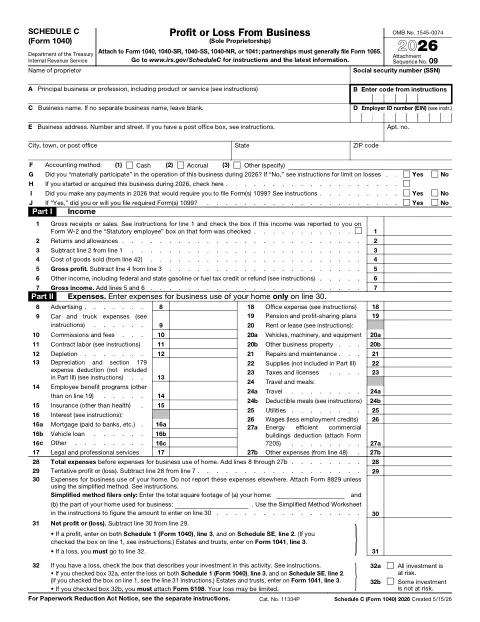
- Many people also need schedules, such as Schedule C for self-employment. They are separate forms.
- Sign and date the return. A joint return needs both spouses' signatures.
Fill Out Form 1040 Online
The official form opens with its fields ready to type in. Free, no sign-up, no watermark.
Official PDF on irs.govGot Questions?
When is Form 1040 due?
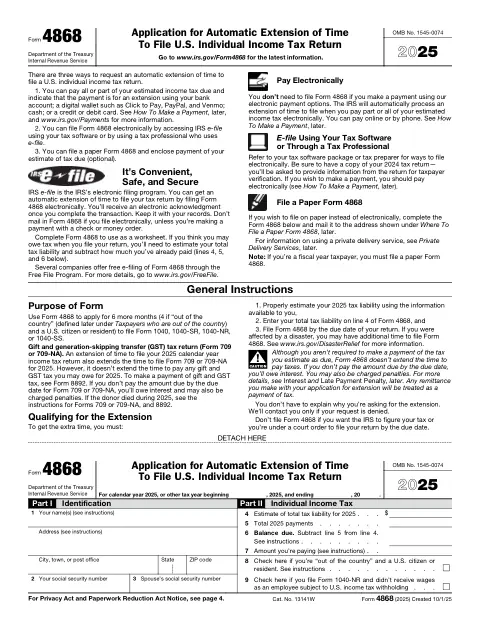
Usually on April 15 of the year after the tax year. Form 4868 gives you more time to file, but not more time to pay.
Is there a version of Form 1040 for older taxpayers?
Yes. If you were born before January 2, 1961, you can use Form 1040-SR, which has the same lines as Form 1040. Anyone can file Form 1040.
How can I check the status of my refund?
Use the IRS2Go app or go to IRS.gov/Refunds. Information is generally available within 24 hours after the IRS receives an e-filed return, or 4 weeks after you mail a paper return.
What if I can't pay everything I owe?
You can ask for a payment plan (installment agreement) online at IRS.gov/OPA or with Form 9465. If paying on time would cause undue hardship, you can ask for more time to pay with Form 1127. Interest is still charged on tax not paid by the due date.
How long should I keep a copy of my return?
Keep your return, worksheets, and records such as Forms W-2 and 1099 until the statute of limitations for that return runs out. That is usually 3 years from the date the return was due or filed, or 2 years from the date the tax was paid, whichever is later. Keep some records, such as property records, longer.
Can I fill out Form 1040 online for free?
Yes. Click Fill Form and Form 1040 opens in our editor with its 199 fields ready to type in. When you are done, download it as a PDF, Word file or image. There is no account to create and no watermark.
Is this the official Form 1040?
Yes. It is the official PDF from the IRS website (2025), with its own fillable fields. Forms are updated from time to time, so check the version on the IRS website before you file.
PDFezy Reviews
No reviews yet. Used this form? Tell others how it went.