1099-NEC Form Guide
Form 1099-NEC reports nonemployee compensation: money a business paid to a person who is not its employee, such as a freelancer or independent contractor. The payer files one copy with the IRS and gives one to the contractor, who uses it to report the income on their tax return.
How to Fill Out a 1099-NEC Form?
- 1Click Fill Form. Form 1099-NEC opens in our editor, with its fillable fields shown in blue.
- 2Click a field to type, tick the boxes that apply, or add text, check marks and dates anywhere on the page.
- 3Click Download, choose PDF, Word or an image, name the file and save it.
What Is the 1099-NEC Form Used For?
You file Form 1099-NEC for each person you paid for services in the course of your trade or business when that person was not your employee. Nonprofit organizations and government agencies count as being in a trade or business for this purpose, but personal payments are never reported. The IRS uses the form to check that the recipient reported the income, so each payment must go in the right box. The December 2026 revision is used for amounts paid in calendar year 2026 and for later years, until the IRS issues a newer revision.
- Fees, commissions, and prizes or awards paid to a nonemployee for services (box 1a).
- Fees paid to attorneys and law firms for legal services, even when the firm is a corporation.
- Directors' fees and other pay to directors, including payments made after retirement.
- Federal income tax you held back under the backup withholding rules (box 4), whatever the payment amount.
- Excess golden parachute payments (box 3) and direct sales of consumer products for resale (box 2).
Who fills it in
Businesses that paid independent contractors or other non-employees for their services.
Where it goes
Copy B goes to the contractor. Copy A goes to the IRS, filed electronically or on the official red paper form.
When Might You Not Need to File Form 1099-NEC?
You don't file Form 1099-NEC for personal payments, for wages, bonuses, prizes, or awards paid to your employees (those go on Form W-2), or when the total you paid a person for the year is below the reporting minimum in the instructions and you didn't backup withhold. Payments to a corporation, including an LLC treated as a C or S corporation, are generally not reported either. The main exceptions are fees for legal services, which you report even when the law firm is a corporation, and payments for services made by federal executive agencies.
Other payments left off this form include payments for merchandise, telephone, freight, storage, and similar items; rent paid to real estate agents or property managers; payments to a tax-exempt organization or to the United States, a state, the District of Columbia, a U.S. territory, or a foreign government; and expense reimbursements paid to volunteers of nonprofit organizations.
How Do You Correct a Form 1099-NEC After Filing?
If you need to correct a Form 1099-NEC you already sent to the IRS, the instructions point you to part H of the current Pub. 1099 for paper forms. For electronic corrections, see Pub. 5718 if you use the IRIS Application to Application system, or Pub. 5717 if you use the IRS Portal system. Each copy of the form has a CORRECTED box at the top for this purpose.
When you file a correction on paper, don't check the VOID box. A checked VOID box tells IRS scanning equipment to skip the form, so your correction would never be entered into IRS records.
Instructions for Filling Out the 1099-NEC Form
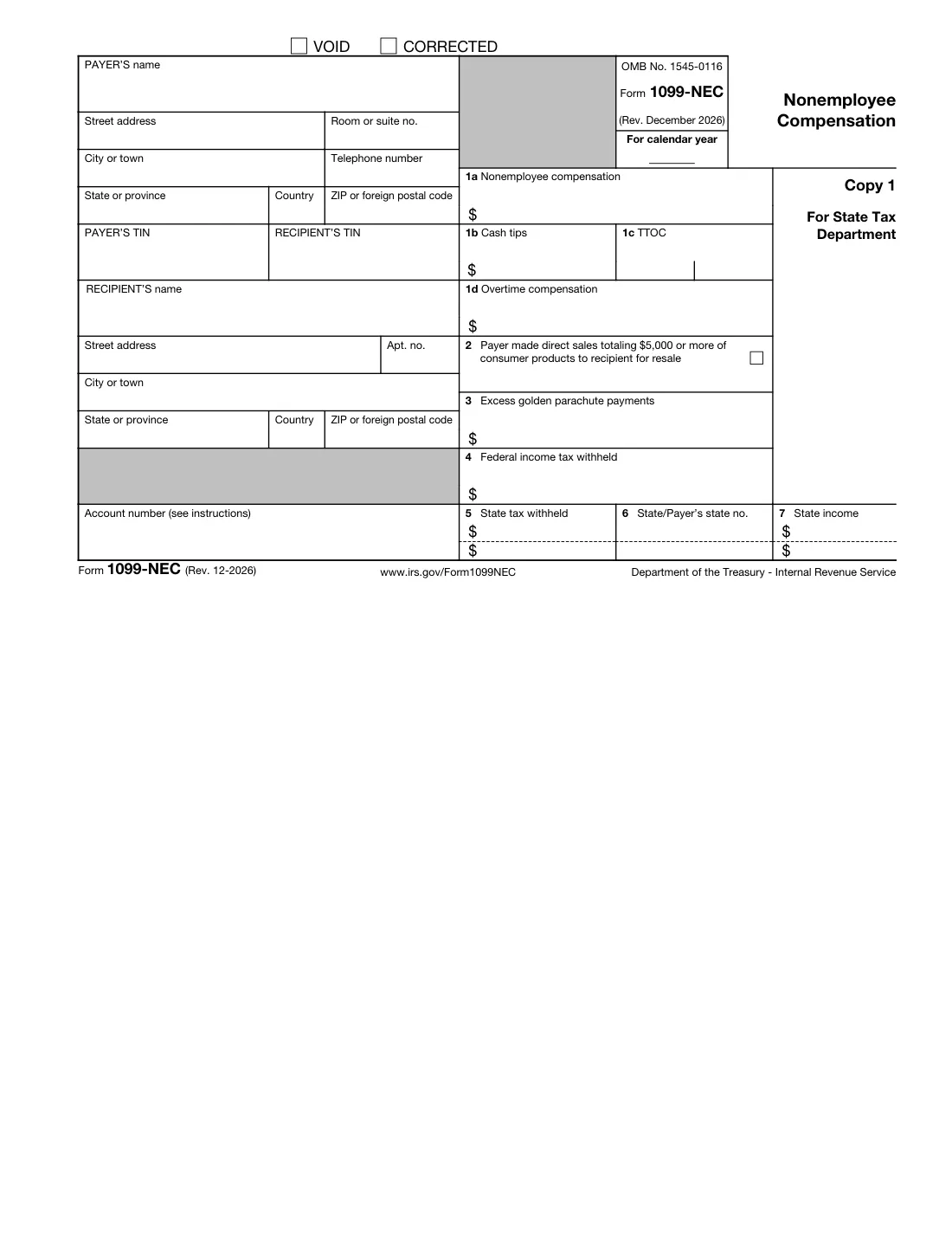
Fill in the payer and recipient details first, then the amount boxes. Report each payment in its proper box, because the IRS uses the boxes to check the recipient's return.
 Get form
Form 1099-NEC, 6 pages. View all pages
Top of the Form
- VOID
- Void checkbox: A checked VOID box tells IRS scanning equipment to ignore that form and move on to the next one. Never check it on a form you are filing as a correction.
- CORRECTED
- Corrected checkbox: Check this box only when the form corrects one you already filed. Part H of the current Pub. 1099 explains how paper corrections work.
- For calendar year
- Calendar year: Enter the four-digit calendar year the form reports payments for.
Payer and Recipient Information
- Payer's name and address
- Payer details: Enter your name, street address, room or suite number, city, state or province, country, ZIP or foreign postal code, and telephone number. This revision gives each part of the address its own entry box. Country codes are listed at IRS.gov/CountryCodes.
- Payer's TIN
- Payer's taxpayer identification number: Enter your own taxpayer identification number in full. A payer's TIN may not be shortened (truncated) on any copy of the form.
- Recipient's TIN
- Recipient's taxpayer identification number: Enter the recipient's number with hyphens: XXX-XX-XXXX for an SSN, ITIN, or ATIN, and XX-XXXXXXX for an EIN. You may truncate it on the statements you give the recipient, but never on the copy filed with the IRS.
- Recipient's name and address
- Recipient details: Enter the recipient's name, street address and apartment number, city, state or province, country, and ZIP or foreign postal code.
- Account number
- Account number: This is required if you have more than one account for a recipient and are filing more than one Form 1099-NEC for them. It lets the IRS tell the forms apart.
- 2nd TIN not.
- Second TIN notice: Enter an X if the IRS notified you twice within 3 calendar years that this payee gave you an incorrect TIN. Once you mark it, the IRS stops sending you notices about this account. This box appears only on Copy A.
Boxes 1a to 4: Payments and Withholding
- Box 1a
- Nonemployee compensation: Enter fees, commissions, prizes and awards for services, and other pay for services done for your business by someone who isn't your employee, including parts and materials. Also include attorneys' fees and oil and gas payments for a working interest.
- Box 1b
- Cash tips: Enter the part of box 1a that was cash tips. Cash tips include tips paid in cash or charged by customers.
- Box 1c
- TTOC: Enter up to two Treasury Tipped Occupation Codes for the occupations the tips were received in. If any tips came from a nonqualifying occupation, one of the codes must be 000. The codes are listed at IRS.gov/TTOC.
- Box 1d
- Overtime compensation: Enter the part of box 1a that was qualified overtime compensation. This is only the pay above the person's regular rate that section 7 of the Fair Labor Standards Act requires, such as the "half" in time-and-a-half.
- Box 2
- Payer made direct sales totaling $5,000 or more: Enter an X if you sold consumer products totaling $5,000 or more to this person on a buy-sell, deposit-commission, or other commission basis for resale anywhere other than a permanent retail establishment. Don't enter a dollar amount. You can use this box or box 7 of Form 1099-MISC, but report the sales on only one form.
- Box 3
- Excess golden parachute payments: Enter any excess golden parachute payments, meaning the amount over the person's base amount (their average yearly compensation over the most recent 5 tax years). These payments are no longer reported on Form 1099-MISC.
- Box 4
- Federal income tax withheld: Enter any backup withholding, for example tax you withheld because the person didn't give you their TIN. Part N of Pub. 1099 explains backup withholding, including the rate.
Boxes 5 to 7: State Information
These boxes are for your convenience and don't need to be completed for the IRS. You can report up to two states, keeping each state's information separated by the dash line.
- Box 5
- State tax withheld: If you withheld state income tax on this payment, you may enter it here.
- Box 6
- State/Payer's state no.: Enter the state's abbreviation and the identification number the state assigned to you as a payer.
- Box 7
- State income: You may enter the amount of the state payment. If a state tax department wants a paper copy, send it Copy 1, and give Copy 2 to the recipient for their state return.
Tips for Filling Out the 1099-NEC Form
- The IRS can't scan Copy A printed from a PDF, so file Copy A electronically or on the official red form from the IRS. The other copies can be printed from here.
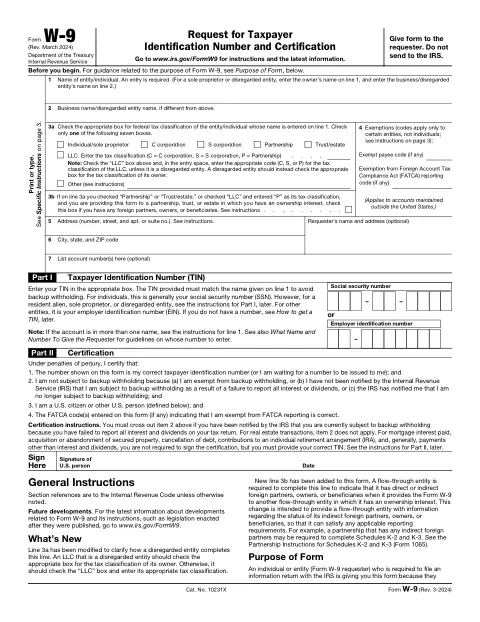
- Get the contractor's taxpayer ID number from their Form W-9 before you fill this in.
- Payment thresholds and deadlines are in the form's instructions. Check them for the year you are reporting.
Fill Out Form 1099-NEC Online
The official form opens with its fields ready to type in. Free, no sign-up, no watermark.
Official PDF on irs.govGot Questions?
Can I print Copy A and mail it to the IRS?
No. Copy A printed from a downloaded PDF can't be scanned by the IRS and may lead to a penalty. File it electronically, or use the official red form from the IRS. The other copies can be printed from here.
What is the difference between 1099-NEC and 1099-MISC?
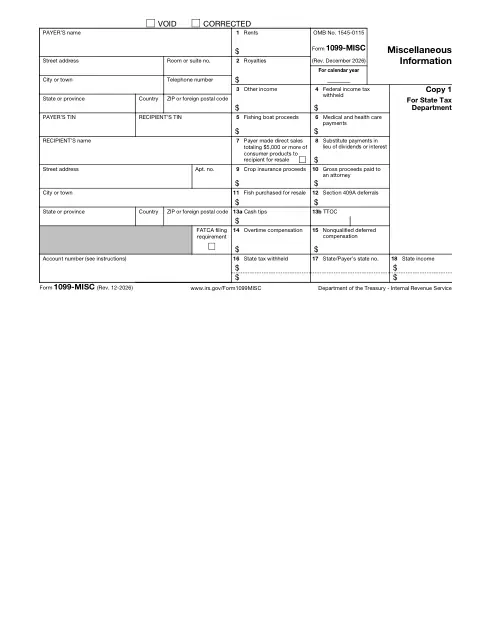
1099-NEC is for pay for services by non-employees. 1099-MISC covers other payments, such as rent, royalties, prizes and awards.
When is Form 1099-NEC due?
You must give the recipient their copy and file with the IRS by January 31, whether you file on paper or electronically. If that date falls on a Saturday, Sunday, or legal holiday, the due date is the next business day.
Do I have to file Form 1099-NEC electronically?
If you have 10 or more information returns to file in total, counting all types together, you may be required to e-file. The IRS offers a free online portal for this, the Information Returns Intake System (IRIS), at IRS.gov/IRIS.
I received a Form 1099-NEC, but I think I'm an employee. What should I do?
If you can't get the payer to correct the form, the recipient instructions say to report the box 1 amount on the "Wages, salaries, tips, etc." line of Form 1040, 1040-SR, or 1040-NR and attach a completed Form 8919. Pub. 1779 explains the difference between an independent contractor and an employee.
Do I report contractors I paid by credit card or through a third-party payment network?
No. Payments made with a credit card or payment card, and certain other payments including third-party network transactions, are reported on Form 1099-K by the payment settlement entity, not on Form 1099-NEC.
Can I fill out Form 1099-NEC online for free?
Yes. Click Fill Form and Form 1099-NEC opens in our editor with its 140 fields ready to type in. When you are done, download it as a PDF, Word file or image. There is no account to create and no watermark.
Is this the official Form 1099-NEC?
Yes. It is the official PDF from the IRS website (Rev. December 2026), with its own fillable fields. Forms are updated from time to time, so check the version on the IRS website before you file.
PDFezy Reviews
No reviews yet. Used this form? Tell others how it went.