I-90 Form Guide
Form I-90 is used to renew a 10-year green card that has expired or will expire within 6 months, or to replace one that was lost, stolen, damaged or shows wrong information.
How to Fill Out a I-90 Form?
- 1Click Fill Form. Form I-90 opens in our editor, with its fillable fields shown in blue.
- 2Click a field to type, tick the boxes that apply, or add text, check marks and dates anywhere on the page.
- 3Click Download, choose PDF, Word or an image, name the file and save it.
What Is the I-90 Form Used For?
Form I-90 is for lawful permanent residents and permanent residents in commuter status who need to renew or replace their Permanent Resident Card. Conditional permanent residents can also use it to replace a card, but not to renew one. Besides lost, damaged, or expiring cards, the form covers several less obvious situations:
- Registering at age 14, which permanent residents must do within 30 days after turning 14
- Taking up commuter status, or moving from commuter status to living in the United States
- Fixing a card with wrong information, whether or not the error was caused by DHS
- Replacing an old edition of the Alien Registration Card
- Getting a card after being automatically converted to permanent resident status
Who fills it in
Lawful permanent residents whose card needs renewing or replacing.
Where it goes
File it with USCIS, online or by mail, with the filing fee.
When Should You Not File Form I-90?
If you are a conditional permanent resident (for example, CR1, CR2, CF1, or CF2) and your status expires within 90 days, don't file Form I-90. File Form I-751 if your status came through marriage, or Form I-829 if it came through an investment in a new business. Once that petition is properly filed, USCIS extends your status while it is pending, and the receipt notice serves as proof.
If you want to renew, check your card's expiration date first. Reason 2.f. is for a card that has expired or will expire within six months, and an application filed under that reason for a card that won't expire within six months may be denied.
What If Your Information Changes?
If you are not a US citizen, you must notify USCIS of a new address within 10 days of moving. Don't send a change of address to the USCIS Lockbox.
If your name or other biographic details legally change after your card is issued, you can file Form I-90 for a new card under reason 2.e., or 3.e. if you are a conditional resident. Include legal documents showing the change, such as a marriage certificate or court order registered with the proper civil authority.
Instructions for Filling Out the I-90 Form
Type or print in black ink. Write N/A when a question does not apply, and use Part 8 if you need more space.
 Get form
Form I-90, 7 pages. View all pages
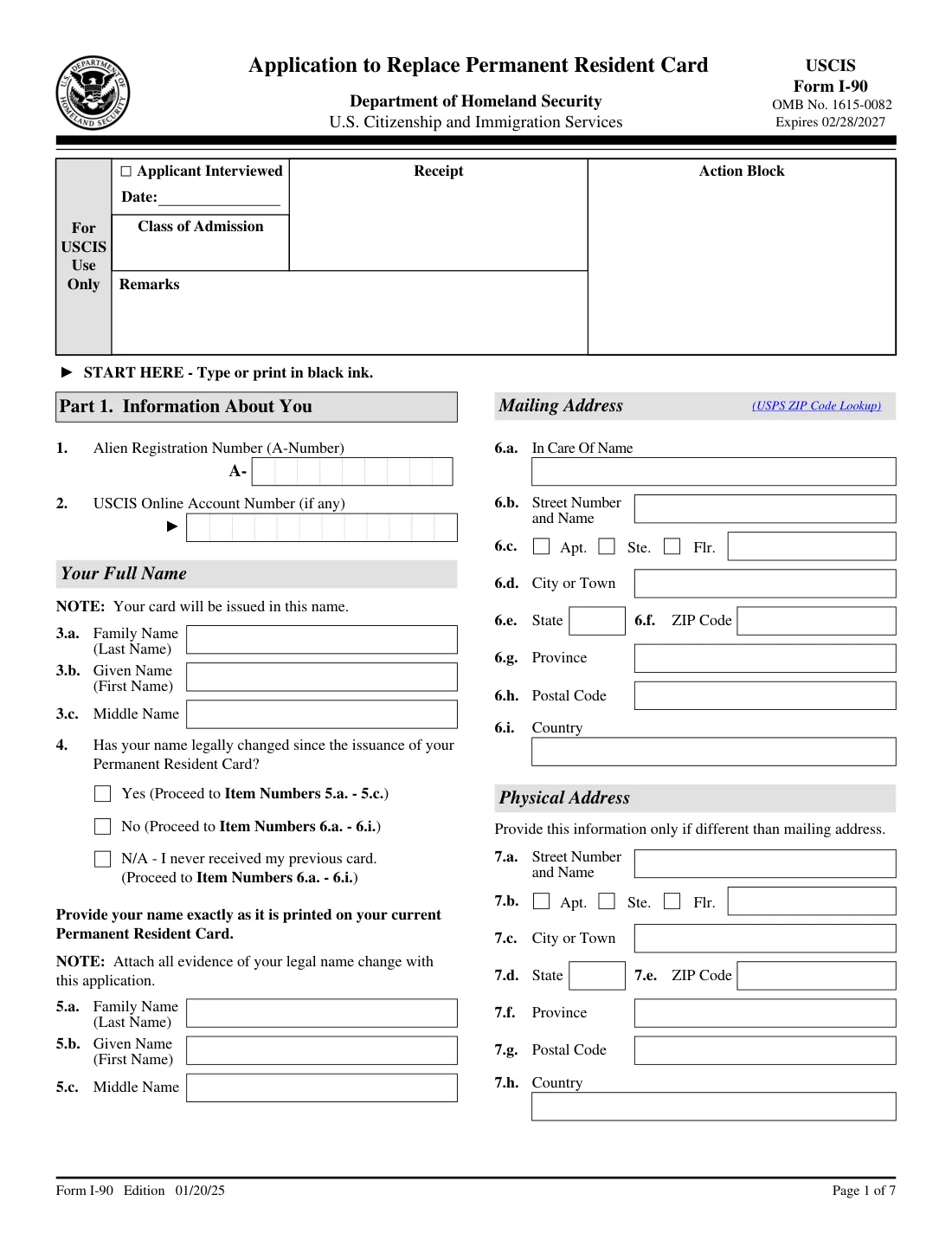
Part 1: Information About You
- Item Numbers 1. and 2.
- A-Number and USCIS Online Account Number: Your A-Number begins with A and appears on letters from DHS or USCIS. You only have an online account number if a past receipt number started with IOE.
- Item Numbers 3.a. to 3.c.
- Your Full Name: Enter your full legal name. Your new card will be issued in this name.
- Item Numbers 4. to 5.c.
- Legal name change: If your name legally changed since your card was issued, select Yes and give your name exactly as printed on your current card. Attach registered legal documents showing the change. If you never received your previous card, select the N/A option.
- Item Numbers 6.a. to 7.h.
- Mailing Address and Physical Address: Give the address where you want mail about your application. USCIS mails cards only to a valid US address, though commuters can pick up a card at a port of entry. Add a physical address only if it is different.
- Item Numbers 8. to 13.
- Sex, birth details, and parents' names: Enter your date, city, and country of birth. For your parents, give only their first (given) names.
- Item Numbers 14. to 16.
- Class of Admission, Date of Admission, Social Security number: Your class of admission is the three-character code on your card, such as IR2. The date of admission is the date you were granted permanent or conditional residence.
Part 2: Application Type
Select your status first, then exactly one reason from Section A or Section B.
- Item Numbers 1.a. to 1.c.
- My status is: Choose lawful permanent resident, permanent resident in commuter status, or conditional permanent resident. The first two use Section A, and conditional residents use Section B.
- Item Numbers 2.a. to 2.c.
- Lost, never received, or mutilated card: For a lost, stolen, destroyed, or mutilated card, send a copy of the card if you have one, or a copy of a government photo ID. For a card that was issued but never received, send the latest Form I-797 notice for the application that should have produced it, plus a copy of a government photo ID.
- Item Numbers 2.d. and 2.e.
- Incorrect data or legal change: Use 2.d. only when DHS caused the error, and attach the original card, since a copy is not accepted. If the error wasn't caused by DHS, or your information legally changed, use 2.e. and send proof.
- Item Number 2.f.
- Expired or expiring card: Select this if your card has expired or will expire within six months, and send a copy of the card.
- Item Numbers 2.g.1. and 2.g.2.
- Registering at age 14: Choose 2.g.1. or 2.g.2. depending on whether your card expires after or before your 16th birthday, and send a copy of your card. The form says that if you file before your 14th birthday or more than 30 days after it, you use 2.j. instead, or 2.f. if your card has expired.
- Item Numbers 2.h.1. to 2.j.
- Commuter status, conversion, and other reasons: Use 2.h.1. to take up commuter status and enter the port of entry you will use, or 2.h.2. if you are a commuter moving to the United States. Use 2.i. after an automatic conversion to permanent residence, and 2.j. for an old Alien Registration Card or a reason not listed.
- Item Numbers 3.a. to 3.e.
- Section B reasons (conditional residents only): Conditional residents choose from lost, stolen, or destroyed; never received; mutilated; DHS error; or legal change. As in Section A, a DHS error requires the original card. If you think you were wrongly made a conditional resident because you had been married two years or more, the instructions say to file under 2.d. with your marriage certificate.
Part 3: Processing Information
- Item Numbers 1. to 3.a.1.
- Where you became a permanent resident: Name the US Embassy, Consulate, or USCIS office where you applied, and where your visa was issued or your adjustment was granted. If you entered with an immigrant visa, add your US destination and the port of entry where you were admitted.
- Item Numbers 4. and 5.
- Removal proceedings and abandonment: Say whether you were ever in exclusion, deportation, or removal proceedings, and whether you ever filed Form I-407 or were found to have abandoned your status. Explain any Yes answer in Part 8.
- Item Numbers 6. to 11.
- Biographic Information: Give your ethnicity, race, height in feet and inches, weight in pounds, and eye and hair color. Providing this may shorten your biometrics appointment.
Part 4: Accommodations for Individuals with Disabilities and/or Impairments
- Item Numbers 1. to 1.c.
- Accommodation request: Answer Yes if you need an accommodation, then select each box that applies and describe what you need. If you are deaf or hard of hearing and want a sign-language interpreter, name the language.
Part 5: Applicant's Statement, Contact Information, Certification, and Signature
- Item Numbers 1.a. to 6.b.
- Statement, contact details, and signature: Say whether you read the form in English or used an interpreter, and whether a preparer helped. Add your phone numbers and email, then sign in ink and date. A parent or legal guardian may sign for an applicant under 14.
Parts 6 and 7: Interpreter and Preparer
- Part 6.
- Interpreter's Contact Information, Certification, and Signature: If someone read the form to you in a language you are fluent in, they give their contact details and sign.
- Part 7.
- Person Preparing this Application: Anyone who filled in the form for you completes and signs this part. An attorney or accredited representative whose role goes beyond preparing the application may need to file Form G-28.
Part 8: Additional Information
- Item Numbers 1.a. to 7.d.
- Extra space: Continue answers here, noting the page, part, and item number. Put your name and A-Number at the top, and sign and date each extra sheet.
Tips for Filling Out the I-90 Form
- Conditional residents with a 2-year card use Form I-751 or I-829 to remove conditions, not this form.
- Choose the reason for your application carefully. It decides the documents you need.
- Keep the receipt notice. With your card, it can show your status while you wait.
Fill Out Form I-90 Online
The official form opens with its fields ready to type in. Free, no sign-up, no watermark.
Official PDF on uscis.govGot Questions?
When should I renew my green card?
When it will expire within the next 6 months, or once it has already expired. The form covers both cases.
My card was mailed but never arrived. Which reason do I choose?
Use "issued but never received" only if the card went back to USCIS as undeliverable. If it was mailed to the address you gave and never returned, file under the lost, stolen, or destroyed reason. You can check your case status at uscis.gov/casestatus to see whether it was returned.
Can USCIS mail my new card to an address abroad?
No. USCIS mails Permanent Resident Cards only to a valid US address. If you plan to travel and your card is about to expire, USCIS recommends getting the new card before you leave.
Who can take up commuter status?
Only permanent residents who work in the United States and live in Canada or Mexico. You must send proof of your employment dated within the last six months, such as pay stubs or a letter from your employer.
Will I need a biometrics appointment?
The certification on the form says USCIS will require you to attend an appointment to take your biometrics (fingerprints, photograph, and/or signature). If you don't attend, USCIS may deny your application.
Can I fill out Form I-90 online for free?
Yes. Click Fill Form and Form I-90 opens in our editor with its 195 fields ready to type in. When you are done, download it as a PDF, Word file or image. There is no account to create and no watermark.
Is this the official Form I-90?
Yes. It is the official PDF from the USCIS website (Edition 01/20/25), with its own fillable fields. Forms are updated from time to time, so check the version on the USCIS website before you file.
PDFezy Reviews
No reviews yet. Used this form? Tell others how it went.