8821 Form Guide
Form 8821 lets a person or organization you name receive and look at your confidential tax information for the tax matters and years you list. Unlike a power of attorney, it does not let them represent you or act for you with the IRS.
How to Fill Out a 8821 Form?
- 1Click Fill Form. Form 8821 opens in our editor, with its fillable fields shown in blue.
- 2Click a field to type, tick the boxes that apply, or add text, check marks and dates anywhere on the page.
- 3Click Download, choose PDF, Word or an image, name the file and save it.
What Is the 8821 Form Used For?
Form 8821 gives a person or organization you choose, called a designee, permission to inspect or receive your confidential tax information, either in writing or verbally. A designee can be an individual, corporation, firm, organization or partnership. You decide exactly which taxes, forms and periods they can see, and you can narrow it to specific details.
- Let a lender see your tax information to verify your income.
- Allow a person or firm to receive copies of IRS notices sent to you (no more than two designees).
- Limit access to specific details, such as lien information or a balance due.
- Allow access through an Intermediate Service Provider if you check the box on line 3.
- Permit disclosure to federal or state agency investigators for background checks.
Who fills it in
Taxpayers who want a person, company or lender to see their IRS records.
Where it goes
Submit it to the IRS online, by fax or by mail, as the instructions explain.
When Might You Not Need Form 8821?
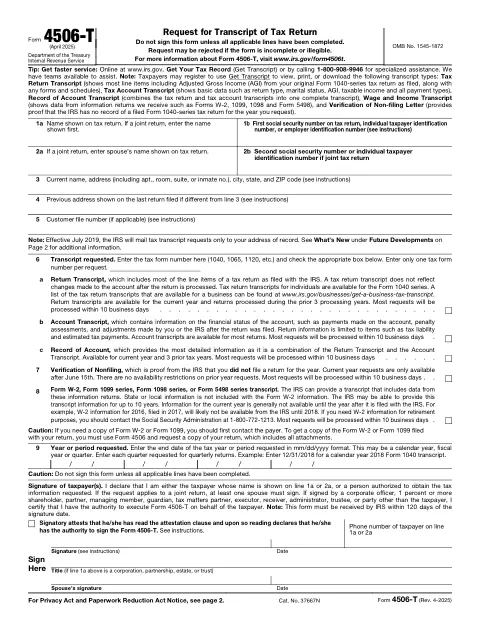
If you only need copies of your own records, you can order transcripts yourself at IRS.gov/Transcripts, by phone at 800-908-9946, or with Form 4506-T. For a photocopy of an actual return, use Form 4506 instead.
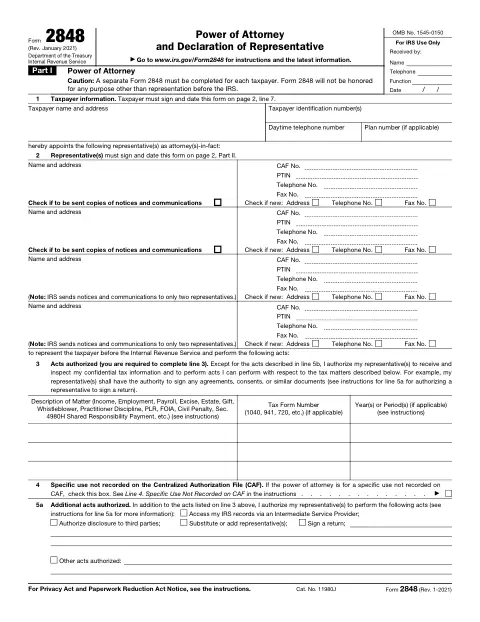
You also don't need Form 8821 for someone who already holds your Form 2848 for the same matters, because a power of attorney already lets them inspect and receive your information. A fiduciary, such as an executor or trustee, stands in the taxpayer's place and notifies the IRS with Form 56.
How Do You Revoke or Change a Form 8821?
To revoke an authorization without filing a new one, write "REVOKE" across the top of it, add a current signature and date under the original signature, and send it to the IRS using the Where To File Chart. If you don't have a copy, send a signed and dated notice that says the designee's authority is revoked and lists each designee's name and address and the tax matters and periods. Write "revoke all years/periods" if you are ending their authority completely.
To revoke a specific-use authorization, send the form or notice to the IRS office handling your case. If only your designee's address changes, no new form is needed; the designee can send the IRS a signed and dated written notice of the new address.
Instructions for Filling Out the 8821 Form
Fill in every line that applies before you sign. The IRS returns a Form 8821 that is incomplete, unsigned or undated.
 Get form
Form 8821, 1 page. View all pages
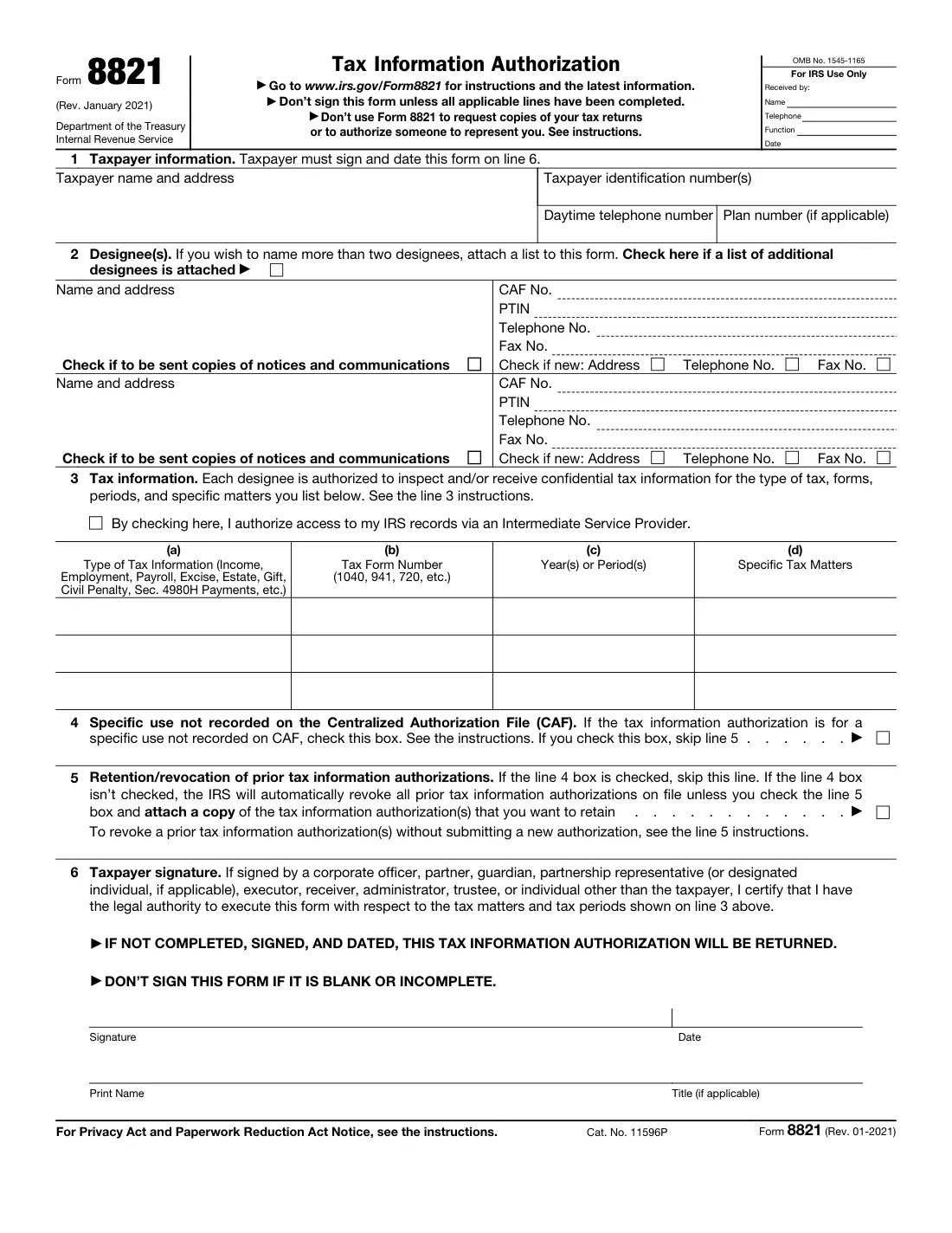
Lines 1 and 2: Taxpayer and Designees
- Line 1
- Taxpayer information: Enter your name, taxpayer identification number, street address and daytime phone, plus the plan number if the taxpayer is an employee plan. A corporation, partnership or association enters its name, EIN and business address. Don't put your designee's details in this box.
- Line 2
- Designee(s): Enter each designee's full name, mailing address, nine-digit CAF number, PTIN, phone and fax. Write "NONE" if no CAF number has been assigned, and the IRS will issue one. To name more than two designees, check the box on line 2 and attach a list with the same details for each.
- Line 2 checkboxes
- Notices and new contact details: Check the box under a designee's name if they should get copies of IRS notices sent to you; no more than two designees can for the same matter. Check the "new" boxes if their address, phone or fax has changed since their CAF number was issued.
Line 3: Tax Information
- Line 3 checkbox
- Intermediate Service Provider: Check this box only if you want your designee to be able to get your records through a privately owned Intermediate Service Provider. Without it, your designee can still get your information directly from the IRS.
- Line 3, columns (a) to (c)
- Type of tax, form number and years: Enter the type of tax information (such as Income or Employment), the form number (such as 1040 or 941) and the years or periods, for example "Income, 1040, 2023." Use "thru" for a range of years and the YYYYMM format for a fiscal year. A general reference like "All years" or "All taxes" will get the form returned.
- Line 3, column (d)
- Specific tax matters: Enter any specific information you want the IRS to provide, such as lien information, a balance due or a specific tax schedule. If you are not limiting what the designee can see, enter "not applicable."
Lines 4 to 6: CAF, Prior Authorizations and Signature
- Line 4
- Specific use not recorded on CAF: Check this box for an authorization the IRS does not record on its CAF, such as disclosure to a loan company or school, a background check, or a matter involving forms like SS-4, W-2, 1099 or 2553. If you check it, skip line 5, and your designee should mail or fax the form to the IRS office handling the matter.
- Line 5
- Retention/revocation of prior authorizations: Unless you check this box, a new Form 8821 automatically revokes all prior tax information authorizations on file. To keep one in effect, check the box and attach a copy of it.
- Line 6
- Taxpayer signature: Sign, date and print your name, and add your title if you sign for a business or trust. Use a handwritten signature if you mail or fax the form, because electronic signatures are accepted only online. If you filed a joint return, your spouse needs a separate Form 8821.
Tips for Filling Out the 8821 Form
- List the tax form numbers and years the person may see.
- Only you sign the form. The person you name does not.
- Use Form 2848 instead if the person needs to represent you.
Fill Out Form 8821 Online
The official form opens with its fields ready to type in. Free, no sign-up, no watermark.
Official PDF on irs.govGot Questions?
Can my accountant use Form 8821 to deal with the IRS for me?
They can see your information, but to speak and act for you they need Form 2848.
Is there a deadline to submit Form 8821?
If the authorization is for a purpose other than resolving a tax matter with the IRS, such as income verification for a lender, the IRS must receive it within 120 days of your signature date. The 120-day rule doesn't apply when the form is for help with a tax matter.
Can my designee receive my tax refund?
No. A designee is never allowed to endorse or negotiate your refund check or to receive your refund by direct deposit.
Can I sign Form 8821 electronically?
Yes, if the form is submitted online at IRS.gov/Submit8821, which requires a Secure Access account. If you mail or fax it, you must sign by hand.
Can my designee share my information with someone else?
No. Form 8821 doesn't let a designee authorize disclosure to another third party or substitute someone else as your designee. Federal law also limits how a recipient may use or redisclose information received with your consent.
Can I fill out Form 8821 online for free?
Yes. Click Fill Form and Form 8821 opens in our editor with its 45 fields ready to type in. When you are done, download it as a PDF, Word file or image. There is no account to create and no watermark.
Is this the official Form 8821?
Yes. It is the official PDF from the IRS website (Rev. January 2021), with its own fillable fields. Forms are updated from time to time, so check the version on the IRS website before you file.
PDFezy Reviews
No reviews yet. Used this form? Tell others how it went.