
On this page
The workflow in short
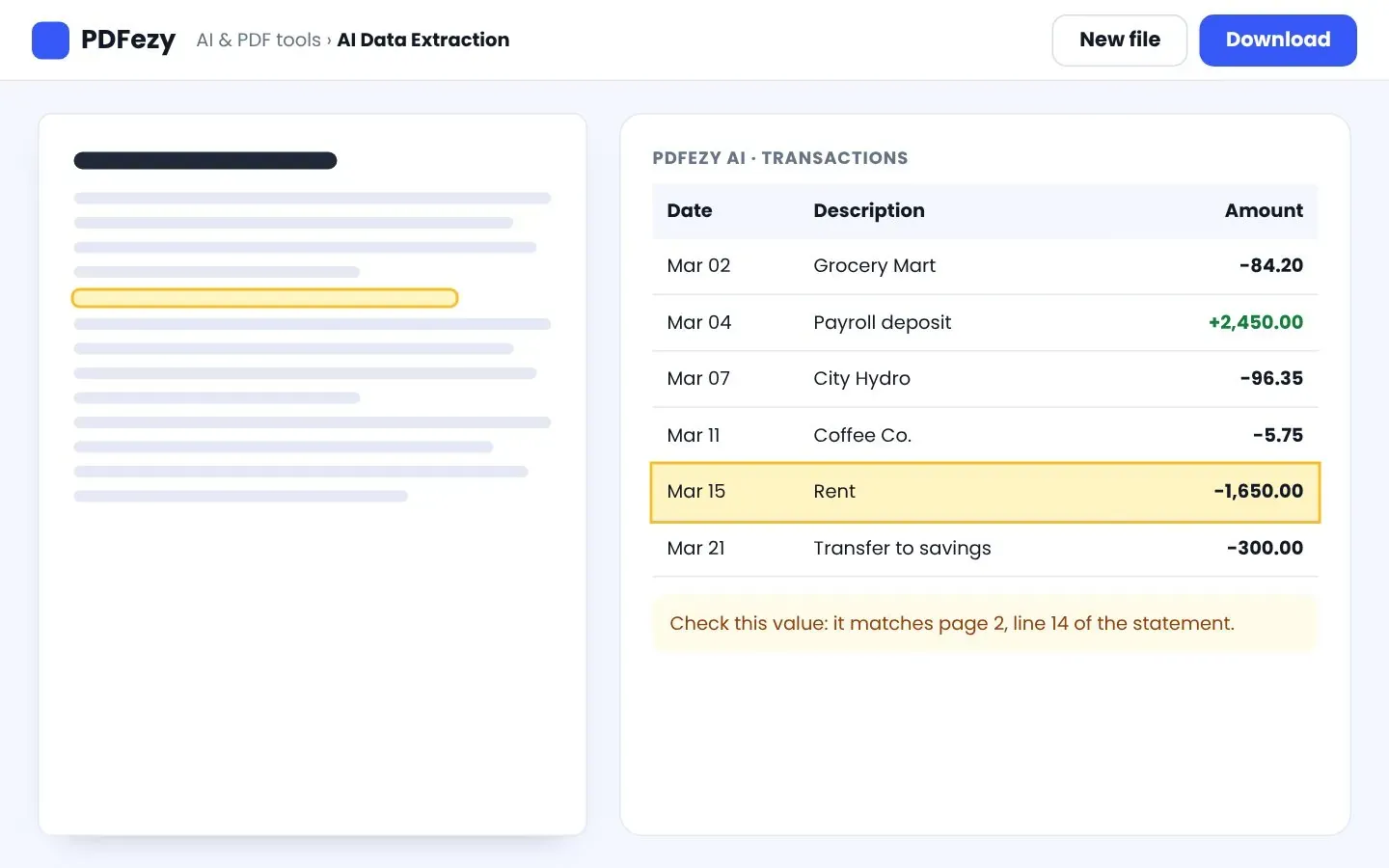
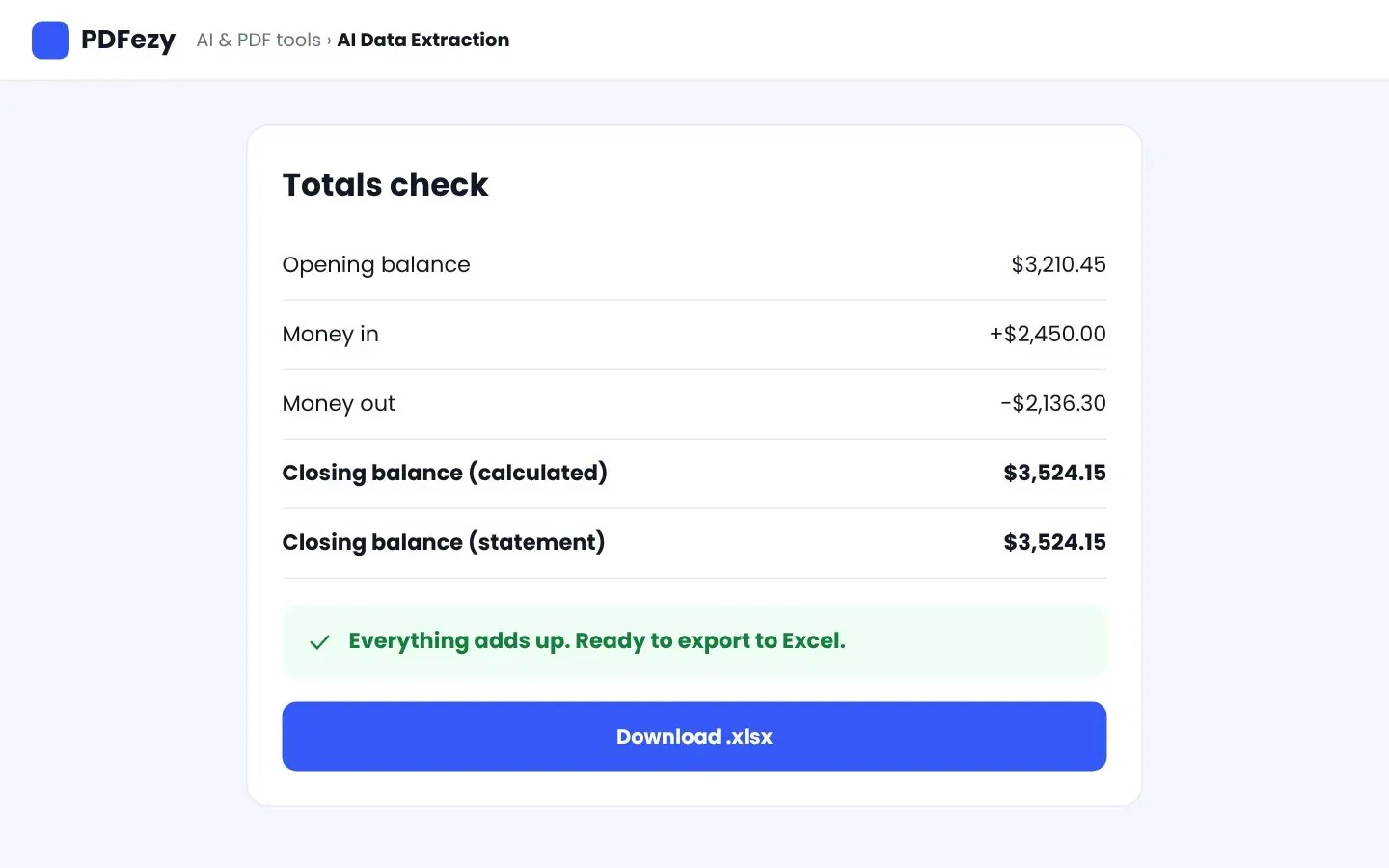
Upload the statement PDF to an AI data extractor, check the transactions it finds, and download Excel or CSV. PDFezy's AI Data Extraction pulls every transaction across all pages into one table, runs a totals check to confirm nothing was missed, and highlights any value it's less sure of so you can fix it first.
Built for
Finance & bookkeepingTools in this workflow
Why you'd want statements in a spreadsheet
- Building a budget or tracking spending by category.
- Bookkeeping and reconciliation for a small business.
- Preparing records for taxes or an accountant.
- Applying for a mortgage, rental or loan that asks for a spending summary.
Many banks only offer older transactions as PDF statements, and copying from a PDF scrambles the columns.
How to convert a statement with PDFezy
- Open AI Data Extraction and upload your statement: PDF, JPG or PNG up to 100 MB. Scans and phone photos work too.
- Review the table. Low-confidence values are highlighted.
- Check the totals check result, which shows whether the lines add up.
- Click any value or cell to fix it.
- Download Excel for budgeting, CSV for accounting software imports, or JSON for scripts and automations. Your corrections are included.
Check your statement data in 2 minutes
- Compare the totals with the opening and closing balances on the statement.
- Count the transactions on one page and match them to the table.
- Check dates for day/month order, especially if your bank is in another country.
- Check signs: debits and credits should be in the right columns or have the right sign.
Tidy up in Excel
- Add a Category column and use filters or a pivot table to total spending by category.
- Convert text to numbers if Excel treats amounts as text: Data → Text to Columns → Finish.
- Combine several months by stacking each month's table and removing repeated header rows.
Before you upload a bank statement
Statements contain account numbers, addresses and spending history. Check how long the tool keeps files: on PDFezy, guest files are deleted after 2 hours, signed-in users' after 48 hours. If you're sharing the result with someone, remove account numbers first with AI PDF Redaction.
Alternatives
- Your bank's CSV export. Many online banking sites let you download recent transactions as CSV directly. Check this first.
- Accounting software with bank feeds connects to your bank automatically.
- PDF to Excel converters work on clean statements but don't check totals. See How to Convert a PDF Table to Excel.
Frequently asked questions
Can it handle multi-page statements?
Yes. Every transaction across all pages comes out in one table.
Does it work with any bank?
Statement layouts vary from bank to bank, so look at the totals check and one page of transactions before you rely on the file.
Can I convert a scanned or photographed statement?
Yes, PDF, JPG or PNG.
Is it free?
Yes. You can start free without signing up. PDFezy AI tools have usage limits that paid plans raise.