
On this page
Quick answer
To redact a PDF, the text must be deleted from the file, not just covered. Use a redaction tool that removes the words under each box and clears hidden data like comments and document details. Then check: search the finished PDF for a removed word and try copying the area under a box. If nothing comes up, the redaction worked.
Why a black box isn't enough
In most PDF editors, drawing a black rectangle only adds a shape on top of the page. The text underneath is still there. Anyone who receives the file can:
- Select the area and copy the text into another document.
- Search the PDF and find the "hidden" words.
- Delete or move the box.
Court filings and government documents have exposed private details this way when people believed they'd redacted them. The same thing happens with highlighting text in black, or changing its colour to match the background.
What proper redaction removes
| What | Why it matters |
|---|---|
| The text under each box | So it can't be copied or searched |
| Image content under the box | Scanned pages and photos hold text as pixels |
| Comments and annotations | They often contain names or notes |
| Links | A link can reveal an email address or URL |
| Document details (metadata) | Author name, title and other properties |
How to redact a PDF with PDFezy
- Open AI PDF Redaction and upload your PDF. Scanned PDFs work; built-in OCR reads them first.
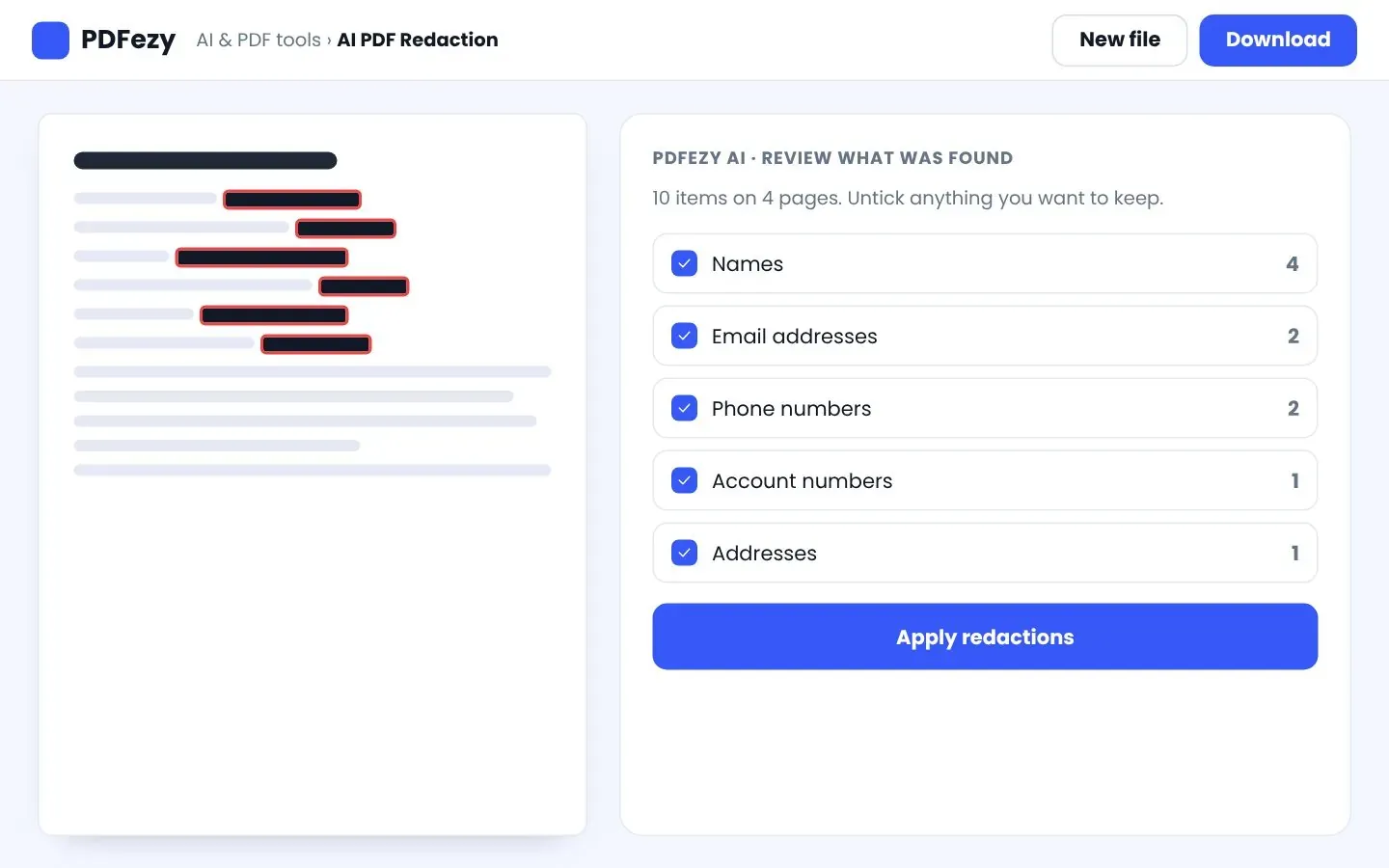
- AI and exact rules look for names, emails, phone numbers, card numbers and addresses on every page.
- Review what was found. Turn items on or off, draw your own boxes, select text, or search for any word or number the AI missed.
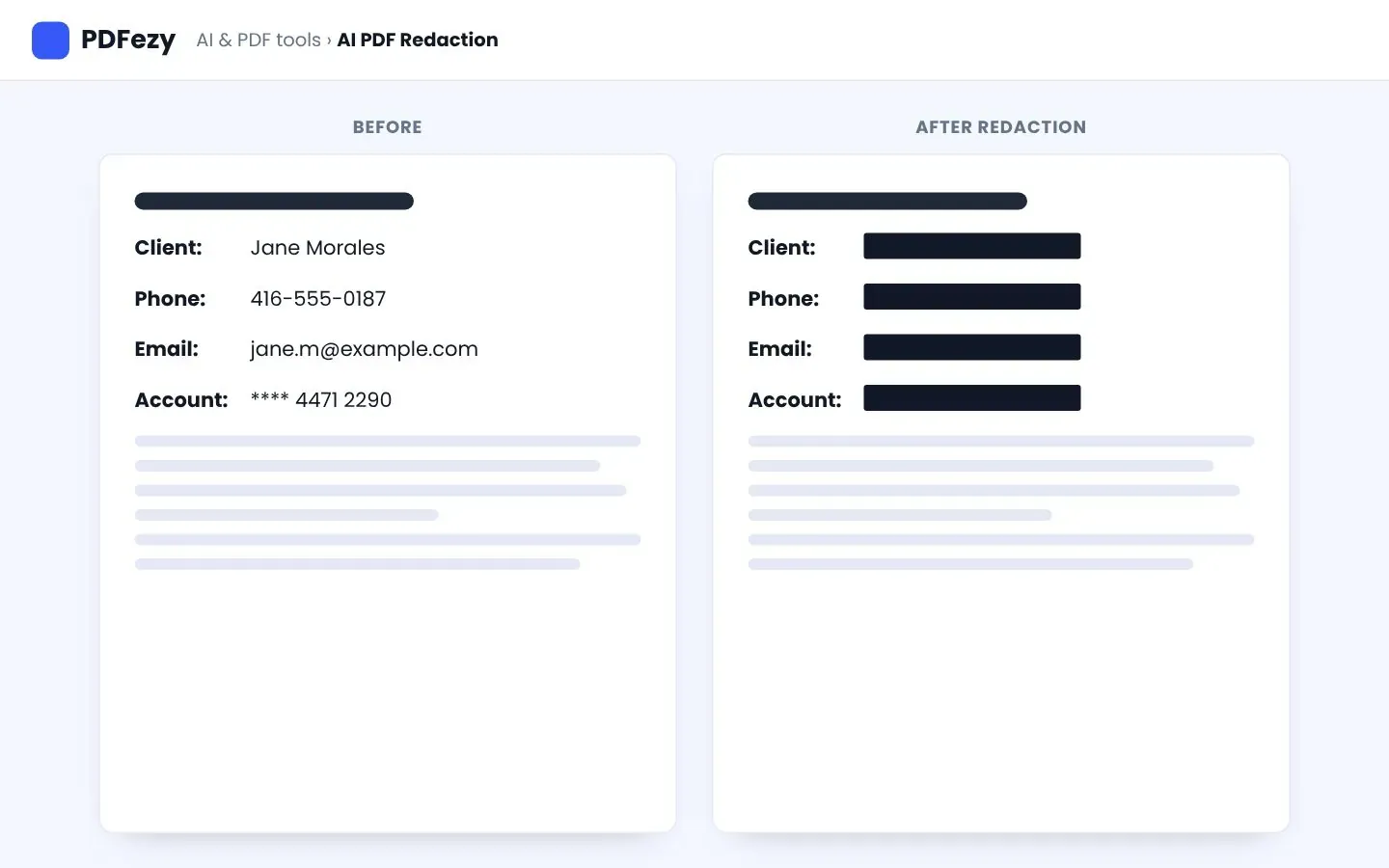
- Apply. The text under each box is deleted from the new file, image pixels beneath it are blanked, and links, comments and document details are cleared.
- PDFezy then searches the finished file to confirm the text is gone. Download it.
Important: AI can miss things. Scroll through the preview before applying, and add boxes for anything it didn't catch.
How to check a redacted PDF yourself
Even with a tool that checks for you, a final review takes a minute:
- Search. Open the redacted PDF and press Ctrl+F (Cmd+F on Mac). Search for a removed name or number. Nothing should be found.
- Copy test. Select the area under a black box, copy, and paste into a text editor. Nothing should paste.
- Page review. Scroll every page, including headers, footers and any scanned pages.
- Properties. Open the file's properties and check the author and title fields.
Common things people forget to redact
- Names in headers, footers and signature blocks.
- Account or case numbers in tables.
- Email addresses inside links.
- Details in attached files, comments or form fields.
- The same detail on a second or third page.
Redaction and privacy laws
Laws like GDPR in Europe and HIPAA in the US healthcare system require organisations to protect personal information. Proper redaction is one way to do that before sharing documents. A redaction tool helps you remove the data; it doesn't make your process compliant on its own, so follow your organisation's policy for sensitive records.
Frequently asked questions
Can redacted text be recovered?
Not if it was properly deleted. If it was only covered, yes, easily.
Can I undo a redaction?
Not in the redacted file. Keep your original somewhere safe if you might need it.
Is redacting a PDF free on PDFezy?
Yes. You can start free without signing up. Like all PDFezy AI tools, it has usage limits that paid plans raise.
Does it work on scanned documents?
Yes. OCR finds text on scanned pages so it can be removed.