
On this page
Quick answer
PDFs can hold information you can't see on the page: the author's name, the software used, comments, links, form data and attachments. To remove it, use a tool that clears document details and annotations when it saves a new copy. PDFezy's AI PDF Redaction clears links, comments and document details along with any text you redact.
What hidden data can a PDF contain?
| Hidden data | What it can reveal |
|---|---|
| Document properties (metadata) | Author name, company, title, creation software, dates |
| Comments and annotations | Reviewer notes, names, internal discussion |
| Links | Email addresses, internal URLs |
| Form field data | Values typed into forms, even if hidden |
| Attachments | Whole other files embedded in the PDF |
| Bookmarks | Section names that hint at removed content |
| Hidden layers or text | Content placed off-page or under images |
How to see a PDF's metadata
- In most PDF readers: open the file and look for File → Properties or Document Properties.
- On Windows: right-click the file, choose Properties → Details.
Look at the Author, Title, Subject and Keywords fields. If they show a name or project you don't want shared, clear them.
How to remove hidden data with PDFezy
- Open AI PDF Redaction and upload your PDF.
- Review any names, emails, phone or card numbers it finds, and add anything else you want removed.
- Apply. The new file has the redacted text deleted, and links, comments and document details cleared.
- Download it and check the properties again.
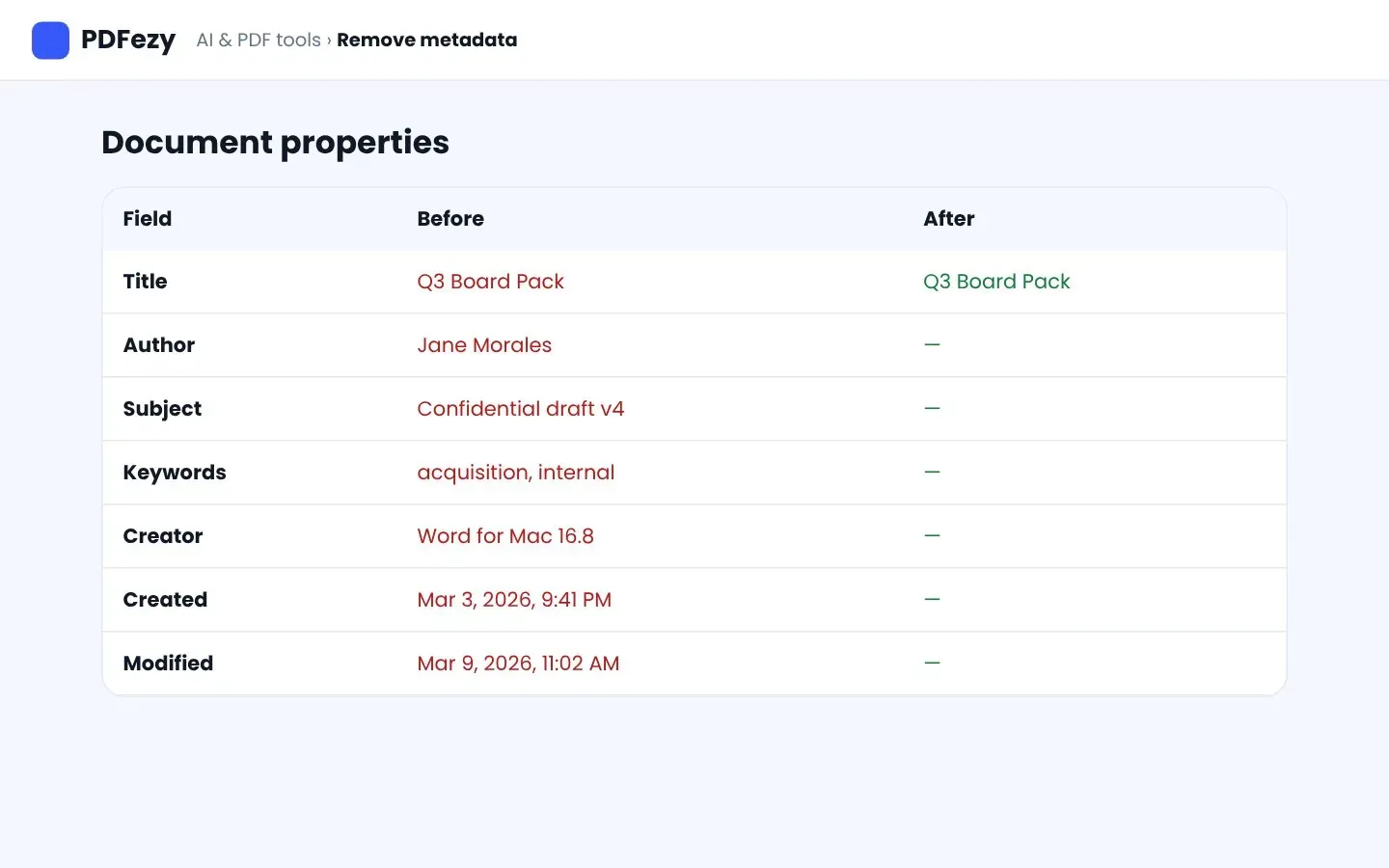
When you apply, PDFezy also clears document details and removes links and comments that repeat the redacted text, then searches the finished file to confirm the text is gone.
Other ways to remove metadata
- Sejda lets you edit a PDF's document details online, with page and hourly limits on free use.
- Clean the source file. Delete comments and tracked changes from the original document before you save it as a PDF, so they never reach the PDF at all.
When to remove hidden data
- Before sending a contract, proposal or report to another company.
- Before publishing a PDF on a website.
- Before submitting documents in a legal case or public-records request.
- Whenever a file has been reviewed with comments.
Frequently asked questions
Does compressing a PDF remove metadata?
Sometimes partly, but don't rely on it.
Is metadata a privacy risk?
It can be: author names, company names and internal file titles are common leaks.
Does redacting text also remove metadata?
On PDFezy, yes; document details are cleared when you apply redaction. Other tools vary.